
Check availability
Ask about integration 1xGate
More gateways
Cards, crypto, wallets and local payment options for your SMM panel. Let customers add funds through the methods they know, then keep deposits and balances together in your admin area.
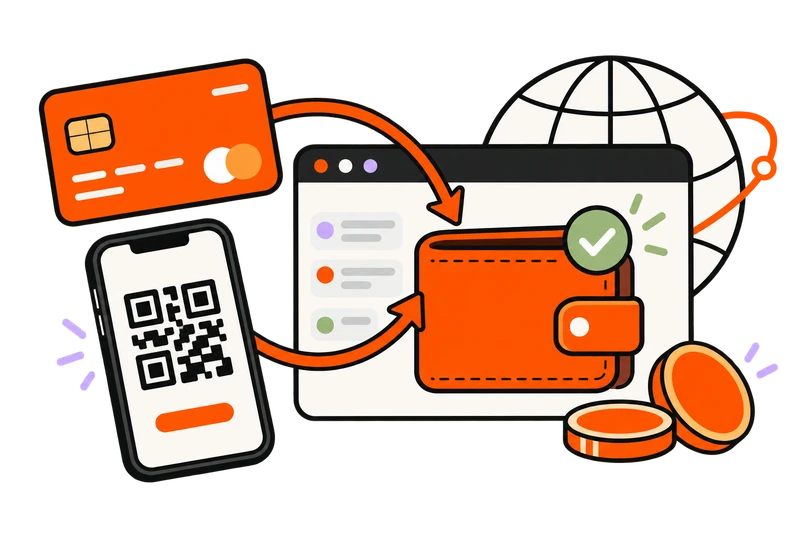
PAYMENTS FOR YOUR MARKET
Explore payment brands for your market. Panel options and additional integration enquiries are listed together, with collection variants grouped by brand.
Payment type Swipe to explore
More gateways
Cards & checkout

More gateways

More gateways

More gateways

More gateways

More gateways

More gateways

More gateways
Local & regional

More gateways

More gateways

More gateways

More gateways

More gateways

More gateways

Cards & checkout

More gateways

More gateways

More gateways

Local & regional

More gateways

More gateways

Crypto

More gateways

More gateways

More gateways

Local & regional

More gateways

More gateways
More gateways

More gateways

More gateways

Local & regional

Wallets

More gateways

More gateways

More gateways

More gateways

More gateways

More gateways

More gateways

More gateways
More gateways

Crypto

More gateways

More gateways

Crypto

More gateways

More gateways

Crypto

More gateways
More gateways

More gateways

More gateways

More gateways

More gateways

More gateways
More gateways

More gateways

Local & regional

More gateways
Local & regional

Local & regional

More gateways

More gateways

More gateways

More gateways

Local & regional

More gateways

More gateways

More gateways

More gateways

More gateways

Local & regional

More gateways

More gateways

More gateways

More gateways

More gateways
More gateways

Wallets

More gateways

More gateways

Local & regional

More gateways

Crypto

More gateways

More gateways

More gateways

More gateways

Local & regional

Local & regional
Local & regional
More gateways

More gateways

More gateways

Local & regional

Local & regional

Local & regional

More gateways

More gateways

More gateways

Local & regional

More gateways

More gateways

More gateways

More gateways

More gateways

More gateways

More gateways

More gateways

Local & regional

More gateways

Local & regional

More gateways

More gateways

Cards & checkout

Local & regional

More gateways

More gateways

More gateways

More gateways

More gateways

More gateways

More gateways

More gateways

Local & regional

More gateways

More gateways

More gateways

More gateways

More gateways

More gateways

Local & regional

More gateways

More gateways

More gateways

More gateways

More gateways

More gateways

Local & regional

More gateways

More gateways

More gateways

More gateways

More gateways

More gateways

More gateways

Wallets

More gateways

More gateways

More gateways

More gateways

More gateways

More gateways
More gateways

More gateways

More gateways

More gateways

Local & regional

More gateways

More gateways

More gateways

Wallets

More gateways

Cards & checkout

More gateways

More gateways

More gateways

More gateways

Local & regional

More gateways

More gateways

Local & regional

More gateways
More gateways

Local & regional

Local & regional

Local & regional

More gateways

Local & regional

Local & regional

More gateways

More gateways

More gateways

More gateways

More gateways

Wallets

Local & regional

Local & regional

More gateways

Crypto

More gateways

More gateways

More gateways

More gateways

More gateways

More gateways

More gateways

Local & regional

More gateways

More gateways

More gateways

More gateways

Local & regional

More gateways

More gateways

Local & regional

Local & regional

More gateways

Cards & checkout

Cards & checkout

More gateways

More gateways
Local & regional

Local & regional

Local & regional

More gateways

More gateways

More gateways

More gateways

More gateways

More gateways

More gateways

More gateways

More gateways

More gateways

More gateways

Local & regional

More gateways

Local & regional

More gateways

More gateways

Local & regional
More gateways

More gateways
More gateways

More gateways

Local & regional

More gateways

More gateways

More gateways

More gateways

More gateways

More gateways

More gateways

More gateways

More gateways

More gateways

More gateways

More gateways

More gateways

More gateways

More gateways

Local & regional

More gateways

Local & regional

More gateways
Manual payments
Try another name, select a different market or clear your filters.
Cards marked “Ask about integration” need a compatibility review and are not currently included in the panel inventory. Market labels help you browse; currencies, eligibility and fees depend on the gateway and your account configuration.
MORE THAN A CHECKOUT
Choose how customers fund their accounts and manage what happens after a payment, from deposit bonuses to payment records.
Choose minimum and maximum deposits, control method visibility and decide which options new customers can use.
Configure deposit bonuses for qualifying payments. Manage bonus access for individual customer accounts.
Review customer deposits, payment statuses and balance adjustments alongside the available payment reports.
FROM CONNECTION TO COLLECTION
Your gateway handles the transaction. ExcelPanel connects the payment workflow to your customer accounts.
Pick a gateway that accepts your business and serves the customers you want to reach.
Add the required merchant details, set deposit limits and complete the gateway’s integration settings.
Check the payment and balance workflow, then make the method available to your customers.
Gateway approval and processing fees are separate from your ExcelPanel subscription.
Need help connecting?Payment questions, answered
Merchant accounts, fees, local methods and the controls behind your customer payments.
Yes. Connect the gateway accounts you want to offer and complete their onboarding requirements. ExcelPanel provides the panel integration; the payment provider decides account eligibility, supported business types and processing terms.
No. ExcelPanel takes no percentage commission on customer deposits or service sales. Your gateway’s processing fees and any currency-conversion charges are separate from the panel subscription.
The panel includes local collection options such as UPI-related gateways and Pix workflows through the relevant integrations. Choose an eligible merchant account and configure the specific method. Available payment types and currencies depend on the provider.
Automatic integrations use their configured callback or payment-verification workflow to confirm a payment and update the customer balance. Manual methods need your review. Test the complete deposit workflow when setting up a gateway.
Yes. Set the available minimum and maximum amounts for a method, configure deposit bonuses and control bonus access per customer. You can also manage which payment methods appear to customers.
Yes. Use a manual payment method for instructions and a review process you manage. Confirm the payment before making the corresponding customer balance adjustment. Manual collection does not provide automatic gateway verification.
No. Availability depends on the gateway, your business, supported currencies and merchant approval. The market labels on this page help you browse the directory; check the provider’s requirements before opening an account.
Yes. Send the team the gateway name and the country you want to collect payments in. We can help you check the panel configuration and the details required for the integration.
Talk to our teamYOUR STOREFRONT. YOUR PAYMENT OPTIONS.
Build your SMM panel with the payment options your customers use and the admin tools to manage their deposits.