Connect unlimited SMM providers.
Every plan includes unlimited provider connections. Import selected services or a whole catalog, then configure rate, quantity-limit and service-detail syncing.
Sell under your brand, connect service providers and build your reseller network. ExcelPanel brings orders, payments, customer support and AI automation into one platform.

EXPLORE YOUR PLATFORM
Start with the part of your business you want to build. Explore 127 features across 13 areas of your panel.
ORDERS & PROVIDERS
Import the services you want to sell, keep provider rates in sync and follow orders through dispatch, delivery and refill requests.
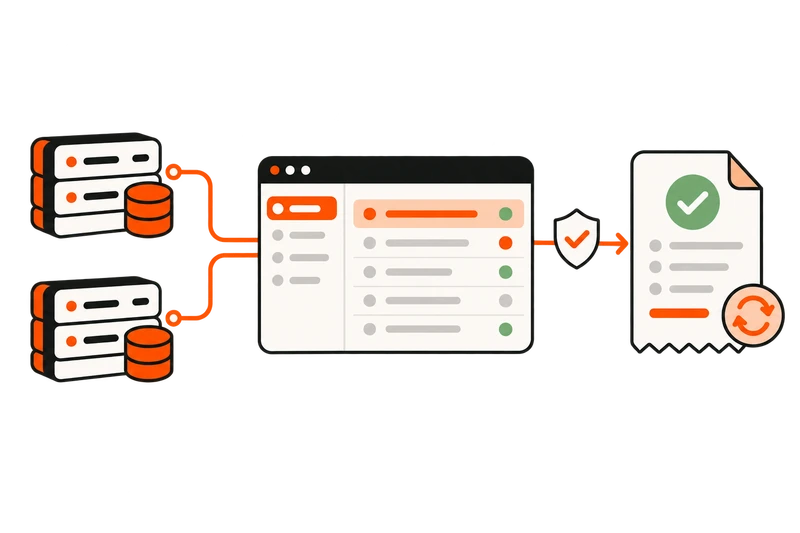
Every plan includes unlimited provider connections. Import selected services or a whole catalog, then configure rate, quantity-limit and service-detail syncing.
Set your selling prices and enable loss protection to pause dispatch when a provider’s cost rises above your rate.
Automatically dispatch API orders, track status updates and manage mass orders, drip-feed runs, subscriptions and refill requests.
Provider sync, cancellation and refill actions follow the service options and API supported by your provider.
CUSTOMERS & RESELLERS
Sell to customers under your brand and supply services to other panels. Your storefront, customer accounts and reseller tools work from the same platform.

Use your domain, logo and theme. Give customers a service catalog, order history, wallet and support tickets in one account.
Set individual service prices and customer discounts. Add membership benefits, balance coupons and rewards for repeat business.
Let other panels place orders through your reseller API, and offer branded child panels connected to your parent panel.
AI & AUTOMATION
Bring AI replies, messaging orders and customer emails into your daily panel workflow, from the first service question to the next order.

Use AI ticket replies for service questions and order enquiries, alongside the support inbox and saved replies your team uses.
Let customers browse services, place orders and check order status from chat. Keep messaging connected to their panel activity.
Send welcome messages, service announcements and personalized offers. Use email automation to reconnect with customers who have stopped ordering.
Connect your messaging and email accounts, then configure the workflows you want to use.
TAKE A CLOSER LOOK
From provider imports to reseller rates, find the tools for the way you run your panel. Browse a category or search for a specific feature.
Search by feature name or what you want to do.
Give customers an account for orders, deposits and support.
Present your services with categories, descriptions and ordering requirements.
Collect the link, quantity and service-specific details each order needs.
Let customers review their orders and follow the latest recorded status.
Keep funds available in the customer account for future orders.
Show customers the payments recorded against their account.
Let customers manage their account details and password.
Provide a password-reset workflow for customers who lose access.
Surface panel updates and account notifications in the customer area.
Add the configured OTP verification step to customer sign-in.
Optional moduleOffer the configured Google authentication workflow to customers.
OAuth setupConnect unlimited compatible SMM providers on every plan, including Plan A. Provider support determines the actions available.
Bring a provider catalog into your panel with the quick-import workflow.
Choose the provider services you want to add to your catalog.
Review import settings when your catalog needs more control.
Review balances returned by connected providers in the admin area.
API dependentUpdate configured service rates when a provider changes its pricing.
API dependentKeep supported service quantity limits aligned with the provider.
API dependentUpdate supported service options from the provider response.
API dependentCapture supported provider service descriptions for your catalog.
API dependentUse provider completion-time information where the API returns it.
API dependentWhen enabled for the provider and service, stop dispatch if the selling price is below the provider rate.
Group your catalog into categories customers can browse.
Write your own service names, details and customer-facing conditions.
Work with default, package, comment, mention, poll, subscription, SEO and traffic formats.
Offer manually processed services alongside compatible provider-backed services.
Set your service prices and the markup used by supported pricing workflows.
Change rates across selected services with the price-update tools.
Update multiple catalog entries from one editing workflow.
Set the minimum and maximum order quantity for each service.
Require quantities in a configured multiple where the service needs it.
Control whether another pending order can use the same link and service.
Configure an extra quantity for eligible provider orders, subject to provider limits.
Sort categories and services to suit the way customers browse.
Review deleted catalog entries and use the available restore workflow.
Keep a record of supported changes to your service catalog.
Configure the available completion-time display for your services.
Send eligible orders to the provider attached to the service.
API dependentBring supported order-status responses back into your panel.
API dependentManage orders for services you process outside a provider API.
Give customers a workflow for submitting multiple orders together.
Split eligible orders into runs using the configured interval and quantity.
Manage supported recurring service orders and subscription statuses.
Service dependentProcess eligible refill requests according to the service and provider conditions.
Service dependentHandle supported cancellation requests and track their task status.
Service dependentRecord partial fulfillment and apply the supported balance adjustments.
Review dispatch errors and use the available retry and resend workflows.
Find the orders that need attention by their available identifiers and filters.
Keep provider-facing follow-up requests in a dedicated admin workflow.
Use supported admin actions to update order status and follow up on provider responses.
Configure supported card, wallet, crypto and regional payment integrations.
Merchant setupCreate a payment method with your own instructions and review process.
Set the minimum and maximum amount for individual payment methods.
Choose which configured methods appear to customers.
Control payment-method access for newly registered customers.
Reward qualifying deposits with the bonus rules you configure.
Enable or disable payment bonuses for selected customer accounts.
Review customer payments, status and associated balance changes.
Record supported additions and deductions from the admin area.
Configure the available invoice details for customer payments.
Review and manage the accounts using your panel.
Add a customer account from the admin area when needed.
Give selected customers their own rates for specific services.
Use the available workflow to copy service pricing between customers.
Apply the available customer-level pricing adjustments.
Restrict customer access when an account needs to be suspended.
Manage the payment methods a customer is permitted to use.
Choose available signup fields and mark required information.
Use the configured email-confirmation workflow for customer registration.
Let eligible resellers use their account API key for supported actions.
Replace a customer API key using the available administrative action.
Export the available customer fields using the admin export workflow.
Let customers refer new users through the configured affiliate workflow.
Optional moduleReview referral earnings and manage supported payout requests.
Optional moduleCreate coupon codes that credit customer balance under your configured rules.
Define customer membership statuses and their available benefits.
Optional moduleConfigure points, redemption values and the available redemption conditions.
Optional moduleConfigure the welcome-balance module for new customer accounts.
Optional moduleOffer supported child panels connected to your parent panel.
Optional moduleManage the available child-panel order, renewal and status workflows.
Optional moduleGive customers an account-based channel for questions and order issues.
Read and reply to customer tickets from your admin area.
Reuse prepared replies for questions your support team answers often.
Organize customer inquiries with the subjects available on your panel.
Configure the maximum number of open tickets per customer.
Update supported ticket states in bulk, including open, closed and answered states.
Publish important notices to the customer panel.
Prepare panel messages using the available broadcast controls.
Configure supported notifications for the admin workflows you monitor.
Let external panels and integrations submit supported orders through your customer API.
Expose the supported catalog and account-balance actions to authenticated customers.
Support eligible order follow-up actions through the customer API.
Service dependentUse the separate administrative API for its supported management actions.
Enable supported order, status, balance, ticket, refill and cancel commands after integration setup.
Optional integrationChoose customer audiences and run configured email workflows with cooldown and sending controls.
SMTP setupPrepare and send supported customer email campaigns through your configured mail setup.
SMTP setupManage the available verification, welcome and ticket message templates.
SMTP setupRun your customer panel under your own domain, name, logo and favicon.
Select and configure the customer themes available to your panel.
Create and edit supported public or internal panel pages.
Manage the available links in your panel navigation.
Edit available language strings and add supported language configurations.
Store right-to-left settings for supported languages and compatible themes.
Configure supported currencies, conversions and display formats.
Set your panel timezone and the available rate-rounding preferences.
Manage supported appearance files and uploaded panel assets.
Edit the title and description settings available for your panel.
Publish and manage blog posts from the appearance area.
Add original information about your services, policies and support.
Use the sitemap functionality and available custom sitemap controls.
Manage the available custom robots.txt settings for your panel.
Add supported header/footer code for analytics and configured third-party widgets.
Review recorded order activity using the available service, status and date filters.
Review customer deposits and available payment-method breakdowns.
Review the charge, provider-cost and profit values recorded by supported workflows.
Control administrative access through the available staff permissions.
Enable authenticator-based two-factor verification for administrators.
Use the implemented administrative device and session controls.
Review supported admin actions and account activity records.
Use the built-in authentication throttling and CSRF controls.
Manage the panel maintenance state and registration availability.
A content delivery network serves supported assets through distributed locations to reduce download distances.
Your platform charge is based on order volume, not the number of visitors or traffic to your panel.
Infrastructure protection helps mitigate DDoS traffic against your hosted panel.
A free SSL/TLS certificate enables HTTPS encryption for data sent between your customers and the panel.
Use your own domain, or ask our team for help registering one. Domain registration and renewal costs are separate.
Regular data backups support recovery. Ask the team about retention and restoration options for your panel.
Try a shorter search, choose another category or reset the filters to see everything.
Provider actions depend on the connected API. Payment methods and messaging tools use the integrations you configure.
THE SMALL DETAILS MATTER TOO
Beyond orders and provider connections, you'll find tools for the everyday work of running your SMM panel.
Serve customers with the languages and currencies you configure.
Create balance coupons, membership benefits and reward points.
Pause dispatch when a provider rate exceeds your selling price.
Give your team the admin permissions they need.
Keep answers to common customer questions close at hand.
Review orders and deposits, and export customer records.
Shape your storefront and add your own panel content.
Admin two-factor authentication, device checks and activity logs.
Platform questions, answered
A closer look at providers, reseller APIs and the tools included with your panel.
Yes. Import services from compatible provider APIs, add services you process yourself, or combine both in one catalog. Customers order from your branded panel, and you manage the business from your admin area.
Add a compatible provider’s API URL and key, then choose the services to import. Configure selling rates, quantity limits and the supported synchronization settings. Your provider handles delivery; ExcelPanel sends eligible orders and brings supported status updates back to your panel.
Yes. Eligible customers can use their account API key to access your catalog, check their balance and submit orders. Status, refill and cancellation actions are available where the service supports them. You can also set individual service prices for reseller accounts.
Use AI-assisted ticket replies, customer ordering workflows through Telegram and WhatsApp, and email campaigns or customer email automation. Connect and configure the relevant integrations for your panel. Order, status and follow-up actions still follow your service and provider settings.
ExcelPanel supports 200+ payment methods across cards, digital wallets, crypto and regional gateways, alongside manual payments. Choose the methods for your market and connect the required merchant accounts. Gateway availability and processing fees depend on the provider and your region.
Explore payment methodsYes. Use your domain, panel name, logo and favicon, then configure an available theme and your page content. Set your own service rates, individual customer prices, supported languages and currency settings.
Yes. Every ExcelPanel plan includes the same platform features. Plans differ by order volume and price, with Plan A starting at $5 for your first 30 days. Some features need a provider API, merchant account, email setup or messaging integration before you enable them.
Compare plansYes. Free migration covers users, wallet balances, orders and order history, services, and providers. Send our team the details of your current platform so we can review your data and arrange the move.
Discuss your migrationYOUR BRAND. YOUR CUSTOMERS. YOUR PANEL.
Explore the storefront your customers will use and the admin tools behind it. Every feature is included, starting with Plan A.