
Users & wallet balances
Customer accounts and wallet balances, with currency and account details reviewed before the transfer.
YOUR NEXT CHAPTER
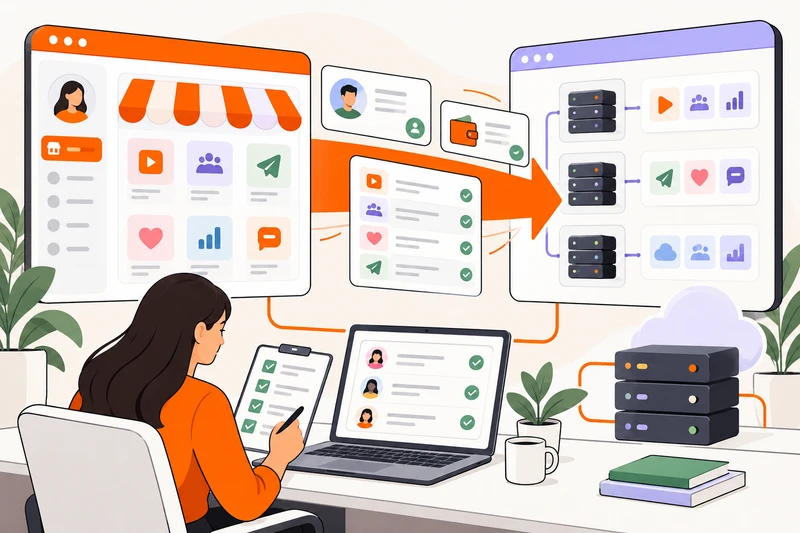
Move your users, wallet balances, orders, categories, payment records, services and providers with a free, team-assisted migration. We review your source export first and agree a cutover. The interruption is generally under two hours, depending on the data.
MORE THAN A NEW HOMEPAGE
Migration from any platform starts with complete, properly structured data. We review the export before confirming the transfer scope.
Customer accounts and wallet balances, with currency and account details reviewed before the transfer.
Order records and history, including open orders and available upstream references needed for follow-up.
The category structure behind your catalog, checked against service mappings on the new panel.
Recorded payments and transaction references. Moving records does not transfer a merchant account or payment credentials.
Service details, prices and quantity rules, reviewed for compatibility with the new catalog.
Provider records and service relationships. Connections are checked and credentials configured securely.
A PLANNED HANDOVER
Keep your source panel available until the migration plan and final checks are agreed.
Share your current platform, approximate data size and the records you need to move. Start with a conversation, not a public database upload.
We check the export structure, required fields, balances and service/provider relationships. Missing or inconsistent records need to be resolved before cutover.
Choose a time to stop new writes on the old panel, take the final export and move to ExcelPanel. We confirm the expected interruption after reviewing your data.
Check user totals, wallet balances, payments, catalog mappings and open orders. Test customer access and the order route before reopening the storefront.
THE CUTOVER WINDOW
There is an interruption while the final data is transferred and checked. It is generally less than two hours, but the export structure, data size and any corrections affect the actual duration.
We agree the timing after review. Keep customers informed, stop new orders and deposits as agreed, and reopen after the records and connections have been checked.
An estimate, not a guaranteed maximum.GET YOUR EXPORT READY
Start on WhatsApp with your current platform name, approximate record counts and which exports you can obtain. We’ll confirm a suitable transfer method after the initial review.
Read the migration guideBEFORE YOU SWITCH
Straight answers about data, interruption and the work before cutover.
We accept migration enquiries from any platform. A successful move depends on complete, properly structured data and compatible records. We review the source before confirming what can be transferred.
Yes. ExcelPanel offers free migration. Your platform subscription, domain, provider purchases and payment-processing fees remain separate. The team reviews your data and migration scope before the move.
There is a planned interruption during cutover. It is generally less than two hours, but the actual duration depends on the data and required checks. We confirm an estimate after review; this is not a guaranteed maximum or a zero-downtime promise.
We identify gaps during review and discuss what needs to be supplied or corrected. Missing IDs, balances or provider references can prevent a complete transfer. Do not close your old panel before the plan is agreed.
Existing orders need to retain their order status and available upstream references. We review open orders and mappings so their next steps can be checked. Do not manually resend orders during the move without confirming their original status.
Account access depends on the source authentication format and compatibility. We check this during review and agree any reset or communication steps before the new panel opens.
No. Payment history is data; a merchant account is a separate relationship with the payment provider. Gateway credentials, callbacks and live payment confirmation need their own configuration and testing.
Start on WhatsApp with the platform name and a description of the data. The team will agree a suitable transfer method. Do not post database exports, customer records, passwords or API keys in public messages.
MAKE THE MOVE WITH A PLAN
Tell us your current platform and the data you want to bring. We will review the next steps together.